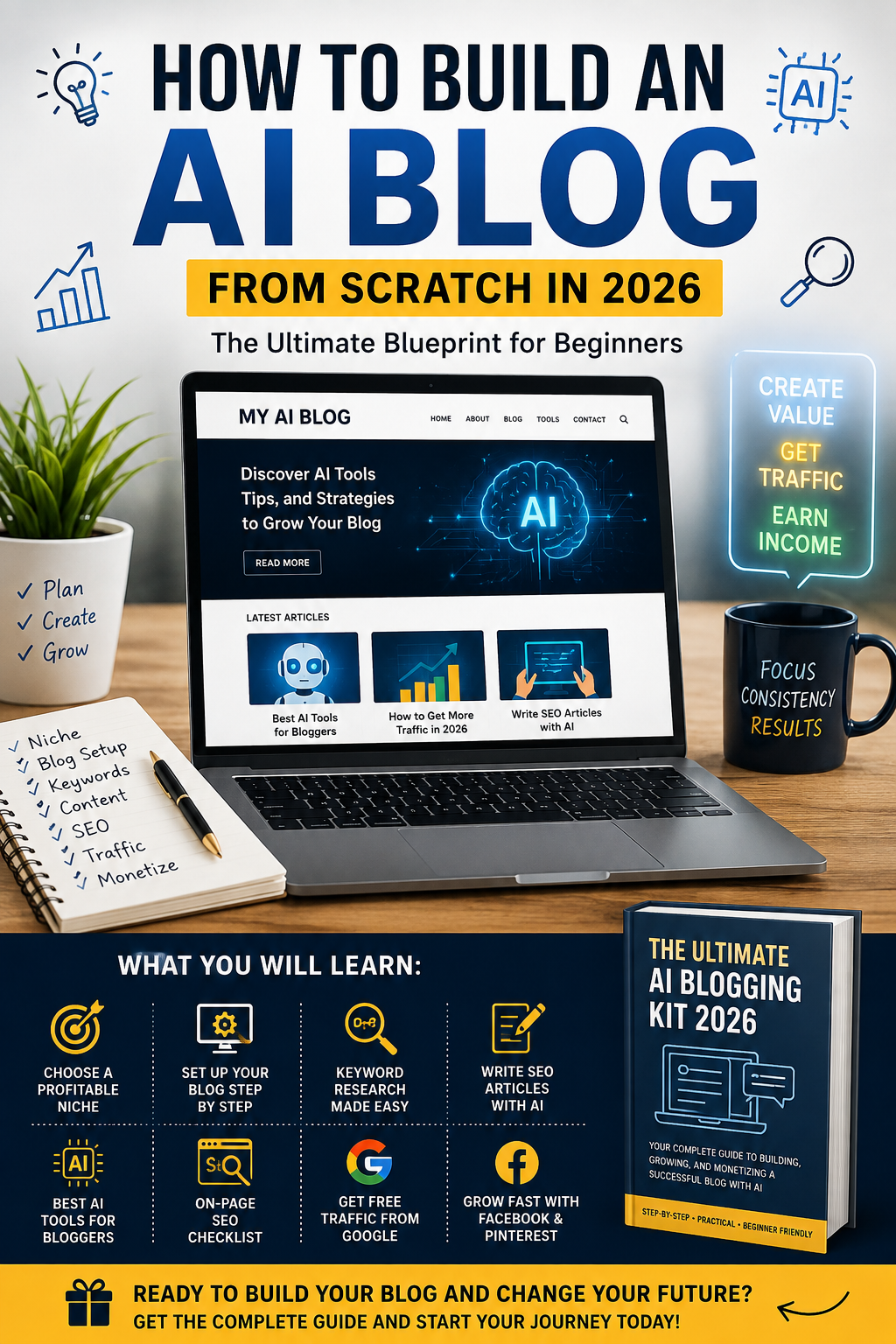
How to Build an AI Blog From Scratch in 2026: A Practical Beginner’s Guide
Building a blog around artificial intelligence can be a practical way to learn digital skills, publish useful information, and create a website that may eventually generate income.
You do not need to be a programmer or an AI expert to start. What matters most is choosing a clear topic, creating genuinely useful content, learning basic SEO, and consistently improving your website.
This guide explains how to build an AI blog from scratch in 2026, from choosing your niche to publishing content, attracting visitors, and exploring different monetization methods.
What Is an AI Blog?
An AI blog is a website that publishes useful content about artificial intelligence and related digital tools.
For example, an AI blog could cover:
-
AI tools and websites
-
AI tutorials for beginners
-
AI productivity tools
-
AI for freelancers
-
AI for small businesses
-
AI content creation
-
AI image and video tools
-
AI automation
-
Online skills using AI
-
Ways to use AI for digital projects
You do not have to cover every AI topic.
A focused website can be easier to manage because you can build content around a specific audience and solve specific problems.
Step 1: Choose a Specific AI Blog Niche
The first step is deciding what your blog will be about.
“Artificial intelligence” is extremely broad, so starting with a smaller topic can make your content strategy easier.
Here are some examples:
AI Tools for Beginners
You can explain how beginners can use popular AI tools for writing, research, productivity, design, and other tasks.
AI for Freelancers
You can publish tutorials showing freelancers how AI can help with research, proposals, content creation, customer communication, and productivity.
AI for Small Businesses
This niche can focus on practical uses of AI for marketing, customer service, content, and business operations.
AI and Online Skills
You can explain how people can use AI while learning skills such as writing, graphic design, video editing, website creation, and digital marketing.
AI Productivity
Another option is helping readers save time by explaining AI-powered workflows and productivity tools.
Choose a topic you can continue writing about for months instead of choosing a niche only because you think it might make money.
Step 2: Choose a Domain Name
Your domain is the address people use to visit your website.
Try to choose a name that is:
-
Easy to remember
-
Easy to spell
-
Short enough
-
Relevant to your brand
-
Flexible enough for future content
Avoid using a domain that is too narrow if you plan to expand your website later.
For example, a brand focused only on one AI application may become difficult to use if you later want to cover other tools and technologies.
Step 3: Set Up WordPress
WordPress is one practical option for building a content website.
After setting up hosting and installing WordPress, choose a clean and mobile-friendly theme.
You do not need an expensive design at the beginning.
Focus on making the website easy to navigate.
Your main menu should make important pages easy to find.
Consider creating:
-
Home
-
Blog
-
About
-
Contact
-
Privacy Policy
-
Disclaimer
If you plan to monetize the website, having clear information about the site and its purpose can also make the website more transparent to visitors.
Step 4: Create a Simple Content Strategy
One of the biggest mistakes beginners make is publishing random articles without a plan.
Instead, create several content categories.
For example:
AI Tools
-
Best free AI tools for beginners
-
AI writing tools
-
AI image generators
-
AI productivity tools
AI Tutorials
-
How to use AI for research
-
How to create content with AI
-
How to automate simple tasks
AI and Freelancing
-
AI skills freelancers can learn
-
How AI can help freelance writers
-
AI tools for virtual assistants
AI and Online Business
-
How to create a simple digital product
-
How AI can support an online business
-
Ways to use AI for content marketing
This structure gives you many related topics to write about without making the website feel random.
Step 5: Research Before Writing
AI can help you brainstorm ideas, but you should not simply generate an article and publish it without checking the information.
Before writing, research:
-
What readers are searching for
-
What questions beginners have
-
Which information needs current verification
-
Which official sources can support your claims
-
What practical examples you can provide
For software and AI tools, information can change quickly.
Pricing, features, availability, and limits may change, so check official sources before publishing important claims.
Step 6: Use AI as a Writing Assistant
AI can be useful during the writing process.
For example, you can use AI to help:
-
Brainstorm article ideas
-
Create outlines
-
Simplify technical explanations
-
Generate questions readers may have
-
Improve grammar
-
Create examples
-
Organize sections
-
Find gaps in an article
However, the final article should provide real value beyond generic AI-generated text.
Add your own explanations, examples, comparisons, screenshots, experiences, or step-by-step instructions whenever possible.
The goal is not to publish as much AI-generated text as possible.
The goal is to help the reader accomplish something.
Step 7: Write Useful Long-Form Articles
A longer article is not automatically a better article.
A 2,000-word article full of repeated information may be less useful than a clear 1,000-word guide that actually answers the reader’s question.
When a topic deserves a detailed guide, organize it into useful sections.
For example:
What Is the Tool?
Explain what it does in simple language.
Who Is It For?
Tell readers which type of user might benefit from it.
How Does It Work?
Give a simple explanation.
Step-by-Step Tutorial
Show readers exactly what to do.
Advantages and Limitations
Explain both sides instead of presenting every tool as perfect.
Alternatives
Mention other options when appropriate.
Frequently Asked Questions
Answer common questions that beginners may have.
This structure can make your content easier to read and more useful.
Step 8: Learn Basic SEO
SEO helps search engines understand your content.
You do not need to become an SEO expert before publishing your first article.
Start with the basics.
Choose one primary keyword for each article.
Use it naturally in:
-
The SEO title
-
The introduction
-
One or more relevant headings
-
The body of the article
-
The URL when appropriate
-
The meta description
-
An image alt text when appropriate
Do not repeatedly insert the same keyword just to increase keyword density.
Write naturally for humans first.
Step 9: Create Internal Links
Internal links connect one article on your website to another relevant article.
For example, if you publish an article about AI tools for making money, you could link to another relevant article about AI side hustles.
Internal links can help readers discover related information and can also help search engines understand the relationship between pages on your website.
Use descriptive anchor text rather than repeatedly using phrases such as “click here.”
Step 10: Add Useful External Sources
External links can make an article more useful when they point to trustworthy and relevant sources.
For AI-related content, official websites are particularly useful when discussing:
-
Product features
-
Pricing
-
Documentation
-
Policies
-
Technical information
Do not add external links simply to increase the number of links.
Every link should have a reason.
Step 11: Create Helpful Images
Images can make tutorials easier to understand.
For an AI blog, you could create:
-
Tool screenshots
-
Step-by-step graphics
-
Simple diagrams
-
Feature comparisons
-
Original illustrations
-
Workflow examples
Use descriptive filenames and alt text that accurately describes the image.
Do not stuff keywords into alt text when they do not describe the image.
Step 12: Set Up Google Search Console
Google Search Console can help you monitor how your website appears in Google Search.
After verifying your website, you can use it to monitor:
-
Search impressions
-
Clicks
-
Search queries
-
Indexed pages
-
Sitemap status
-
Indexing issues
Submit your XML sitemap and regularly check whether important pages are being indexed.
Do not expect every article to appear in Google immediately.
A new website usually needs time to build search visibility.
Step 13: Build Traffic From Multiple Sources
Search traffic is not the only way to get visitors.
You can also explore:
-
Facebook
-
Pinterest
-
LinkedIn
-
Reddit communities where promotion is allowed
-
Online communities
-
Email newsletters
-
Direct traffic
-
Relevant forums
The important thing is to follow each platform’s rules.
For example, instead of repeatedly posting the same promotional message, share useful information and provide the article when it genuinely helps answer the discussion.
Step 14: Consider Social Media Content
You can turn one blog article into several social posts.
For example, a single article about AI tools could become:
-
A Facebook post
-
A short LinkedIn post
-
A list of tips
-
A short video script
-
A carousel
-
A question for your audience
This allows you to reuse research without copying the entire article everywhere.
Step 15: Explore Blog Monetization
Once your website has useful content and visitors, you can explore different monetization methods.
Display Advertising
Advertising networks can generate revenue when eligible visitors view or interact with advertisements.
Approval is not guaranteed, and websites need to follow the network’s policies.
Affiliate Marketing
You can recommend relevant products or services and potentially earn a commission when someone makes a qualifying purchase through your affiliate link.
Always disclose affiliate relationships clearly.
Digital Products
A blog can also support digital products such as:
-
Templates
-
Checklists
-
Guides
-
Notion templates
-
Educational resources
The product should solve a specific problem rather than simply package generic information.
Freelance Services
Your blog can also act as a portfolio.
For example, if you write about AI content creation, you could offer content-related services.
If you write about WordPress, you could demonstrate your website-building skills.
How Long Does It Take to Build an AI Blog?
There is no fixed timeline.
You can technically create a website in a day, but building useful content, earning search visibility, and developing an audience takes longer.
A realistic approach is to focus on consistent improvement.
For example:
Month 1: Build the website and publish foundational content.
Month 2: Expand your content categories and improve internal linking.
Month 3: Study Search Console data and improve articles that receive impressions.
After that, continue publishing and updating useful content based on what your readers actually need.
Traffic and revenue can vary significantly between websites, so avoid treating a specific income figure as guaranteed.
Common Mistakes to Avoid
Publishing Too Many Low-Quality Articles
More articles do not automatically mean more traffic.
Quality and usefulness matter.
Copying Other Websites
Do your own research and provide original explanations.
Making Unrealistic Income Claims
Avoid telling readers that a particular AI tool will guarantee a certain amount of money.
Online income depends on many factors, including skills, demand, execution, audience, and competition.
Ignoring Website Pages
Do not focus only on blog posts.
Make important pages such as About, Contact, Privacy Policy, and Disclaimer easy to find.
Changing Your Strategy Every Week
Give your content strategy enough time to produce useful data before constantly changing direction.
A Simple 30-Day AI Blog Plan
Here is a beginner-friendly starting plan.
Days 1–3: Choose your niche, domain, and website structure.
Days 4–7: Set up WordPress, your theme, essential pages, analytics, and Search Console.
Week 2: Publish three useful beginner guides.
Week 3: Publish three additional articles targeting specific questions.
Week 4: Improve your existing articles, add internal links, create social posts, and review your Search Console data.
After the first month, continue building around topics that are genuinely useful to your target audience.
Final Thoughts
Learning how to build an AI blog from scratch is less about finding a magic AI tool and more about building a useful website.
Choose a clear audience, publish helpful content, verify your information, learn basic SEO, build internal links, and improve your articles over time.
AI can make parts of the process faster, but your website still needs human judgment, research, editing, and a clear purpose.
If you treat your blog as a long-term digital project instead of a quick-money experiment, you can use it to develop valuable skills while building an online asset that can support different monetization options over time.
If you want to explore WordPress as a way to build an online income stream, you can also read our detailed guide on How to Make $3,000 a Month With WordPress in 2026. It explains different WordPress-based business models, including content websites, affiliate marketing, digital products, and other ways a website can potentially generate revenue.